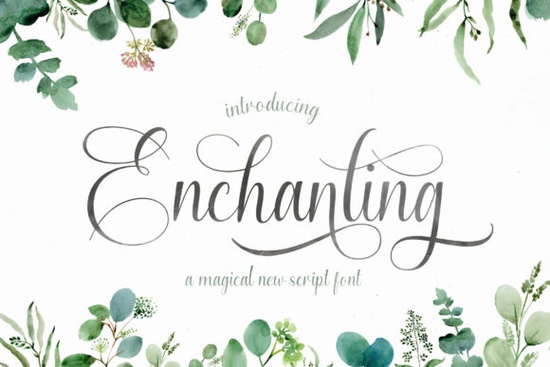
If you've been searching for a handwritten script font that feels elegant without being over-the-top, the Enchanting Script Font might be exactly what you need. It's a graceful, timeless typeface with hand-lettered character and it works beautifully across logos, branding projects, quote designs, and more. Whether you sell on Etsy, run a small business, or just love crafting, this font brings a personal, polished feel to any project.
What makes Enchanting Script stand out from other script fonts?
Plenty of script fonts look nice at first glance but fall apart in real use. Letters feel disconnected. Swashes clash. The overall flow feels forced. Enchanting Script avoids those problems. Every letter was drawn with care, so the connections between characters feel smooth and natural not mechanical.
What really sets it apart is the PUA encoding. That means you can access every glyph, swash, and alternate character directly even in programs that don't normally support OpenType features. No special software needed. Just use your character map or the private use area characters, and you're good to go.
This makes it a solid pick for designers who work in Cricut Design Space, Canva, Silhouette Studio, or similar platforms where advanced font features aren't always available.
Where can I use this handwritten font?
Enchanting Script is versatile enough for a wide range of creative work. Here are some popular uses:
- Logo design especially for feminine, boutique, or lifestyle brands
- Wedding invitations and event stationery
- Social media graphics and quote posts
- Print-on-demand products like mugs, tote bags, and t-shirts
- Blog headers and website accents
- Scrapbooking and journaling layouts
- Greeting cards and gift tags
If you've used a bold, thick script before and wanted something more delicate, Enchanting Script fills that gap nicely. It's refined without being fragile.
Is it beginner-friendly to use?
Yes. If you can install a font on your computer, you can use this one. The PUA encoding is the real win here it removes the frustration many crafters feel when they download a beautiful font but can't access half the characters.
Once installed, the swashes and alternates show up in your character map or font preview panel. You simply copy and paste the version of each letter you want. No font editing software, no extra plugins.
For crafters who also love exploring other handwritten styles, fonts like Natural Handwriting offer a more casual, everyday feel while Enchanting Script leans more formal and decorative.
Does it work well for print-on-demand?
Absolutely. Print-on-demand sellers often need fonts that look sharp at various sizes from small product labels to large wall art prints. Enchanting Script holds up well across different scales because the letterforms are clean and the stroke weight is balanced.
It's especially strong for products aimed at women, couples, or gift-givers: think "wifey" shirts, anniversary mugs, bridal shower decor. The elegant style pairs well with minimalist layouts and floral design elements.
If you're building a font collection for your POD shop, consider pairing it with something playful like the You Are My Rainbow font for variety, or Cherry Font for a sweeter, more whimsical option.
How does it compare to other script fonts?
Every script font has its own personality. Here's a quick comparison:
- Enchanting Script elegant, flowing, great for formal and feminine designs
- Cherry Font sweet and playful, works well for cute product designs
- Natural Handwriting relaxed, everyday handwriting style
- Thick script fonts bold and impactful, ideal for headlines
The beauty of building a font library is that you always have the right tool for the right job. Enchanting Script earns its place as a go-to for projects that need that extra touch of elegance and warmth.
You can find the Enchanting Script Font on Creative Fabrica, along with thousands of other fonts, graphics, and craft resources.
Quick checklist before you start designing
- Install the font on your computer and restart any open design programs
- Check the glyph panel or character map for swashes and alternates
- Test at multiple sizes to make sure it reads well on your chosen product
- Pair it with a simple sans-serif for body text to keep layouts balanced
- Save your favorite letter combos so you can reuse them across projects
Tip: Before committing to a full product design, create a quick mockup in Canva or your preferred editor. It takes five minutes and saves you from rework later.
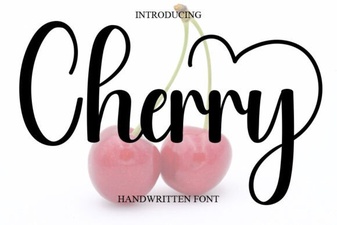 Cherry Font: Sweet and Stylish Typography for Creative Projects
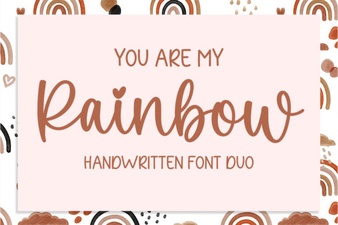 Rainbow Font for Creative Projects
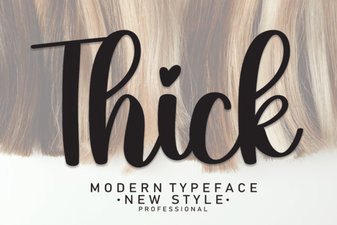 Bold and Beautiful: How Thick Fonts Transform Your Designs
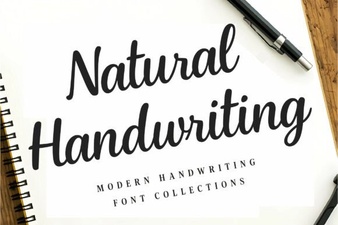 Natural Handwriting Fonts That Add a Personal Touch
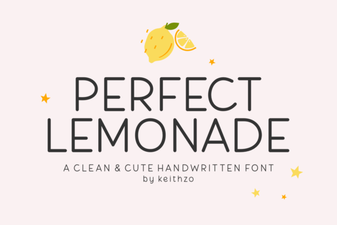 Perfect Lemonade Font for Fresh and Fun Design Projects
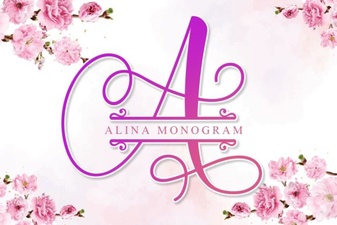 Alina Monogram Font: Elegant Letters for Creative Designs